
You can book an easyJet flight in just a few minutes, enter your usual first name, and confirm. It is only when retrieving the boarding pass that you realize the second name listed on the passport does not appear anywhere on the ticket. The question then arises: should you correct it, add it, or leave it as is?
Adding second names during an easyJet booking follows specific rules, and the consequences of an error can range from simple stress at boarding to being denied boarding altogether.
Second name on an easyJet ticket: format data or identity data
The easyJet booking form does not provide a separate field for the second name. You are therefore faced with a choice: attach it to the first name in the same field or omit it completely.
In practice, an absent second name is not treated as an identity error. Recent feedback shows that omission is often tolerated on European flights, provided the first name and last name match exactly with the travel document. The second name is more about format than strict identity control.
If you still wish to include it, the most reliable method is to attach this name to the designated field, immediately after the first name, separated by a space. Before confirming, compare it with the MRZ line of the passport (the machine-readable zone at the bottom of the identity page): if the order of the names appears there, reproduce it exactly. This is what most airline input guides recommend.
For those who wish to change the name on an easyJet flight ticket after booking, the distinction between spelling correction and name change is crucial for the fees charged.
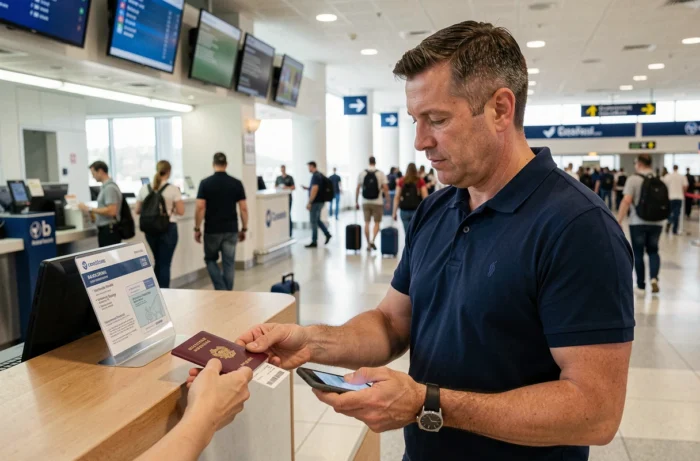
easyJet name correction: tolerance threshold and fees applied
EasyJet distinguishes between two situations. A spelling mistake of three characters or fewer can be corrected for free via the “Manage your bookings” section of the website. Beyond three characters, the airline considers it a name change and applies modification fees.
Adding a full second name almost always exceeds the three-character threshold. You then fall into the “name change” category, even if the passenger’s identity does not actually change. This is a common trap: you think you’re making a simple update, and you end up having to pay.
What can be corrected for free and what cannot
- A reversal of two letters in the first name (for example, “Nicolsa” instead of “Nicolas”): free correction, as it is three characters modified or fewer.
- Adding a complete second name (“Nicolas” becomes “Nicolas Pierre”): considered a name change, subject to fees.
- Adding just an initial (“Nicolas” becomes “Nicolas P.”): feedback varies on this point; some passengers report an accepted correction, while others report a refusal. It is better to contact customer service before making changes.
The modification can be done online or by phone. The phone rate is generally higher than the online rate. If you need to modify, going through the website remains the least expensive option.
easyJet boarding without a second name: real risks at control
The scenario that worries most passengers: showing up for boarding with a ticket where the second name is missing, while it is on the passport. In practice, the ground staff checks the match between the name displayed on the boarding pass and the identity document.
The first name and last name are the two elements that are actually compared. On intra-European routes, the absence of the second name almost never causes a blockage. The check focuses on overall consistency, not on the completeness of civil status.
The situation changes on certain routes outside the Schengen area or to destinations where local authorities require strict matching with the passport. In this case, a missing second name may pose a problem not for easyJet, but for the immigration services of the destination country.
Destinations where vigilance is required
Countries that apply strict control of the full name (such as certain non-EU states served by easyJet) deserve special attention. Before booking, check the entry requirements of the destination country. If the APIS (Advanced Passenger Information System) form requests all names, the ticket must reflect this information.

easyJet booking: correctly entering your names from the start
The best correction is the one you don’t have to make. At the time of booking, a few reflexes can avoid complications.
- Open your passport or ID card and copy the names in the exact order of the MRZ line, without abbreviation or initial.
- If the form only offers one first name field, enter the first name followed by the second, separated by a single space.
- Re-read the booking confirmation within minutes: the grace period after purchase allows for cancellation without excessive fees if an error is spotted early.
- Do not invent spellings for compound names (Jean-Pierre, Marie-Claire): the hyphen counts as a character and must be included if the passport does.
For group bookings, ask each passenger for a photo of their identity document before entering the names. Copying a friend’s name from memory remains the primary source of errors.
The principle that summarizes everything: what is written on the passport dictates what you enter in the form. No more, no less. In case of doubt about the necessity of including a second name for a specific destination, easyJet customer service can confirm before booking, which avoids any paid modifications afterward.