You just did your shopping at Carrefour and are looking for a written record of your purchase for a refund, an expense report, or your accounting. The paper receipt has disappeared at the bottom of a bag, or worse, the ink has faded. Finding a Carrefour invoice online solves this problem in a few minutes, provided you know where to look and what to read on the document.
Digital receipt and Carrefour invoice: two distinct documents
Before starting a search in your customer area, a distinction needs to be made. The digital receipt that Carrefour offers through its mobile app is not an invoice in the accounting sense. It summarizes your purchases, the payment method, and the store, but it does not include all the legal mentions required for a tax document.
The invoice, on the other hand, includes the complete contact details of the seller, the breakdown of VAT by applicable rate, and, for professionals, the client’s SIREN number. A digital receipt does not replace an invoice if you need to justify an expense to your employer or the tax authorities.
Knowing how to obtain a Carrefour invoice online therefore first requires identifying the correct document. For regular personal use, the digital receipt is sufficient. For professional needs or formal reimbursement, it is the invoice that must be requested.
Carrefour customer area: where to find your invoices after an online purchase
Did you place an order on carrefour.fr or via the mobile app for drive or delivery? The document can be found in your customer area, in the section dedicated to orders.
Accessing the invoice from the website
Log into your account on carrefour.fr. Go to your order history. Each delivered or picked-up order displays a link to generate or download the invoice in PDF format. The invoice only appears once the order is finalized, not at the time of cart validation.
Accessing the invoice from the mobile app
The Carrefour app centralizes digital receipts and invoices. Open the “My Account” section, then “My Purchases” or “My Orders” depending on the version of the app. Drive and delivery orders are listed there with the option to download the PDF.
For purchases made in a physical store with your loyalty card, the app keeps the digital receipts. If you need a formal invoice for an in-store purchase, the process is different: you must request it at the store’s reception or through customer service.
Requesting an invoice for an in-store Carrefour purchase
Did you pay at the checkout without going through e-commerce? No invoice is automatically generated for in-store purchases. The receipt, whether paper or digital, is the only document provided by default.
To obtain an invoice, there are two options:
- Go to the store reception with the receipt (or its digital version on the app) and request the issuance of an invoice. The staff will need the date, amount, and payment method to locate the transaction.
- Contact Carrefour customer service online or by phone, providing the same information. The processing time may vary depending on the store concerned.
- For professional customers with a dedicated account, invoicing can be set up in advance with Carrefour’s billing service, which avoids requests on a case-by-case basis.
Keep your digital receipt in the app: it contains the transaction reference that speeds up the search at the store.
Reading a Carrefour invoice: the information to check
You have the PDF in front of you. What should you look at first?
The basic legal mentions
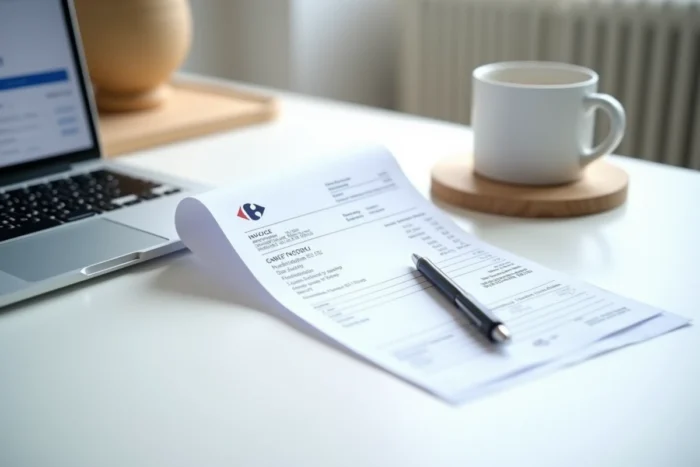
A compliant invoice includes the name and address of the issuer (the Carrefour entity that sold), the invoice date, a unique invoice number, and the details of the products or services. Make sure the invoice number is present: without it, the document loses its accounting value.
The VAT breakdown
Food and non-food products are subject to different VAT rates. A Carrefour invoice breaks down the amounts by applicable rate. You will generally find several VAT lines on the same invoice if your cart mixes product categories.
For an expense report or a professional declaration, it is this breakdown that allows you to recover the deductible VAT. The net amount per VAT line must correspond to the total including tax displayed.
Specific information for professionals
If you are a professional customer, the invoice must mention your SIREN number and possibly your intra-community VAT number. The delivery address, when different from the billing address, is also included on the document.
With the electronic invoicing reform coming into effect from September 1, 2026, large companies like Carrefour will have to issue their invoices in structured format via an approved platform. Professional customers will need to be able to receive these electronic invoices. This reform will add new mandatory mentions on B2B invoices, including the nature of the transaction and the client’s SIREN number.
Storing and organizing your Carrefour invoices
Downloading the PDF is not enough. Invoices must be kept for several years to meet tax obligations.
- Create a dedicated folder on your computer or cloud, organized by year and month. A consistent naming convention (date-store-amount) makes future searches easier.
- For professionals, integrate the invoice into your accounting software as soon as you receive it. Invoice management tools can automate the import from your email or customer area.
- Do not rely solely on the Carrefour customer area for archiving: systematically download your invoices in PDF to keep an independent copy.
The Carrefour customer area does not guarantee unlimited access over time to your old documents. Personal archiving remains the most reliable method for retrieving an invoice several years after the purchase.